iPhone app + self-hosted server
Send your Apple Health data anywhere you want.
HealthBridge exports Apple Health data from your iPhone to endpoints you control — including self-hosted servers, APIs, and AI agents.
No cloud required · User-controlled export · Open format
// the problem
Apple Health is a walled garden
for your own data.
Valuable health data sits on your device with no clean, developer-friendly export path.
Existing options are manual, tied to closed ecosystems, or require trusting a third-party cloud.
AI agents and self-hosted tools can't meaningfully use your health data without an explicit bridge.
// how it works
Four steps. No magic.
Authorize
Grant HealthBridge read access to the health types you choose. Nothing is shared without explicit permission.
Select
Pick which data types to export — step count, heart rate, sleep, workouts, and more — and set your sync range.
Send
HealthBridge delivers structured JSON events to your own webhook endpoint or local server.
Use
Pipe the data into OpenClaw, custom agents, scripts, or any HTTP consumer you already run.
// real product
Real data. Real sync.
Connect Apple Health, choose your data types, and send structured events to your own system.
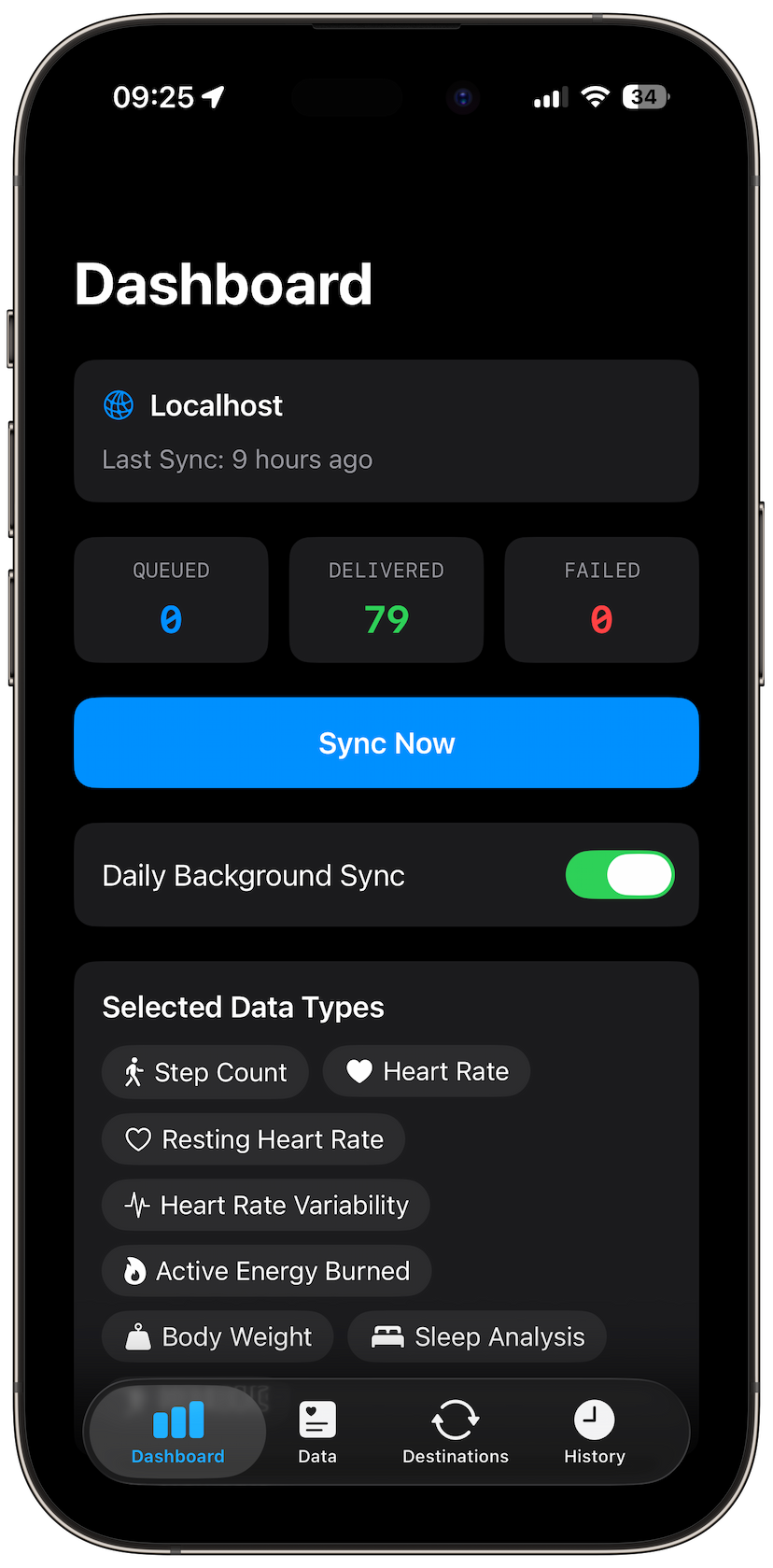
Dashboard
79 events delivered. Zero failed. One tap to sync.
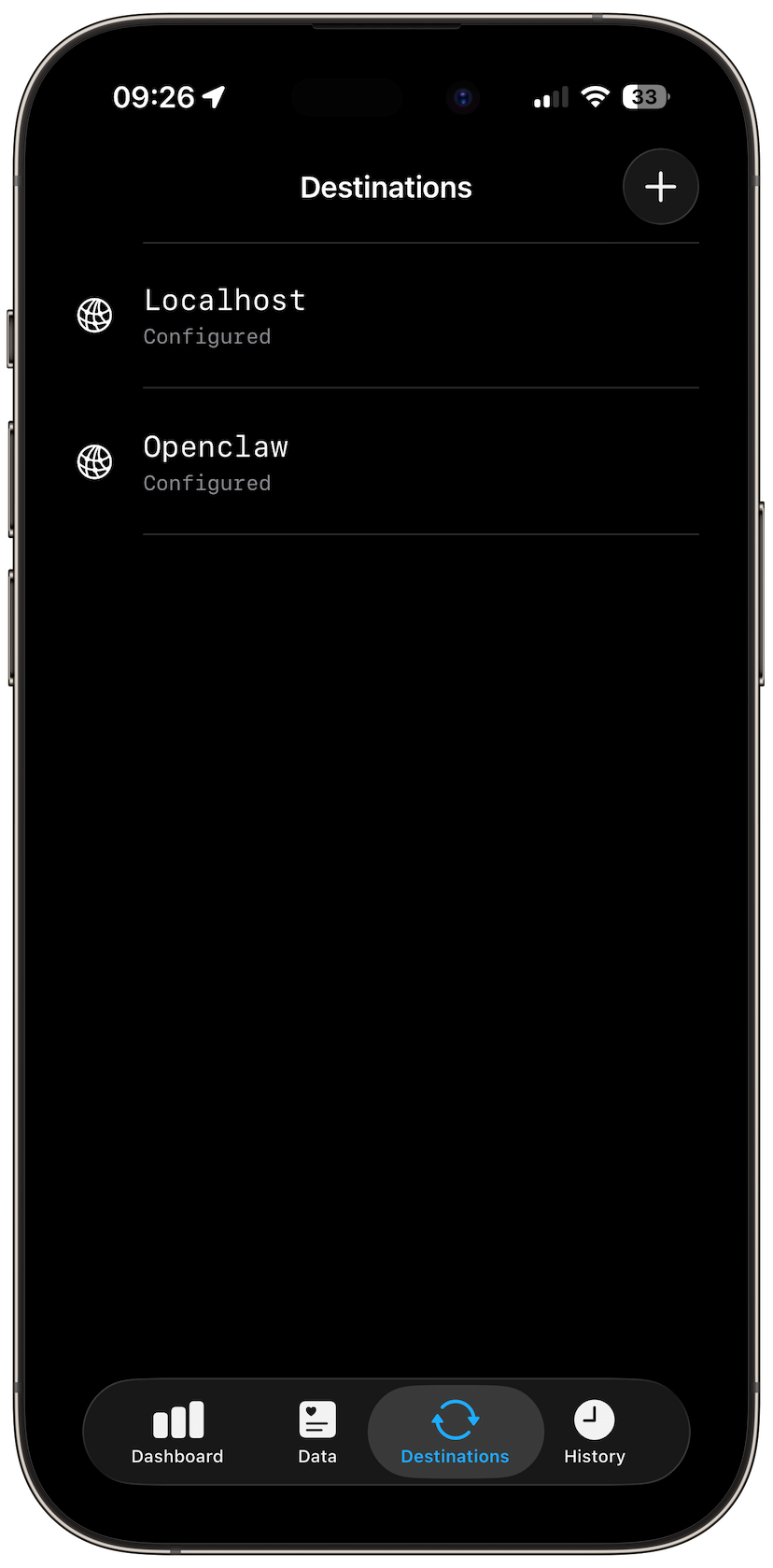
Destinations
Localhost, OpenClaw, or any webhook endpoint you control.
// features
Built for technical users.
Privacy-first
Only exports to destinations you configure. Nothing leaves your device by default.
Delta sync
Uses HealthKit anchors. Only fetches new data on each run — no full reloads.
Self-hosted receiver
Run the server on your Mac or Linux machine. No external services required.
Background sync
Daily scheduled delivery via iOS background processing tasks.
Stable JSON schema
Versioned event format. Predictable, documented, and easy to consume.
Multiple destinations
Webhook, JSON file export, and OpenClaw adapter included out of the box.
// self-hosted
Run your own receiver.
The HealthBridge Server is a lightweight Node.js process. It receives structured health events from your iPhone and exposes them to your local tools and agents.
- —Runs on Mac, Linux, or any Node.js environment
- —Stores incoming events as structured JSONL
- —Includes a local browser UI to inspect data in real time
# start the servernpx healthbridge-serverListening on http://0.0.0.0:8080POST /health ← configure this endpoint in the iOS appGET / ← browser UI to inspect received eventsGET /events.json ← raw JSON dump
// privacy
Your data. Your rules.
Your data stays on your device
Health data never leaves your iPhone unless you explicitly configure a destination and trigger a sync.
No mandatory cloud
HealthBridge works entirely on-device. No backend account, no vendor storage, no phone-home.
You choose where data goes
Configure your own endpoint. HealthBridge sends to nothing by default. You are in full control.
No tracking. No selling.
HealthBridge does not collect analytics, does not sell data, and does not interpret your health metrics.
No interpretation
HealthBridge exports raw data. It doesn't score, analyze, or make any claims about your health.
No account required
Install, authorize HealthKit, add a destination. That is it. No sign-up, no subscription.
// get started
Ready to use your own health data?
Install the iPhone app, configure a destination, and start syncing in minutes.
example payload delivered to your endpoint
{
  "version": 1,
  "destination": "webhook",
  "deviceTime": "2026-04-11T08:00:00Z",
  "events": [
    {
      "eventId": "evt_a3f2...",
      "sampleType": "stepCount",
      "operation": "upsert",
      "value": 10432,
      "unit": "count",
      "startDate": "2026-04-11T00:00:00Z",
      "endDate": "2026-04-11T08:00:00Z"
    }
  ]
}